
How to use Channel Surfer
Channel Surfer plays YouTube like cable TV. Every channel runs on a schedule, so you tune in to whatever is on and flip when you want something else.
Change channels
Open channelsurfer.tv and a channel starts playing. You don't need an account to watch.
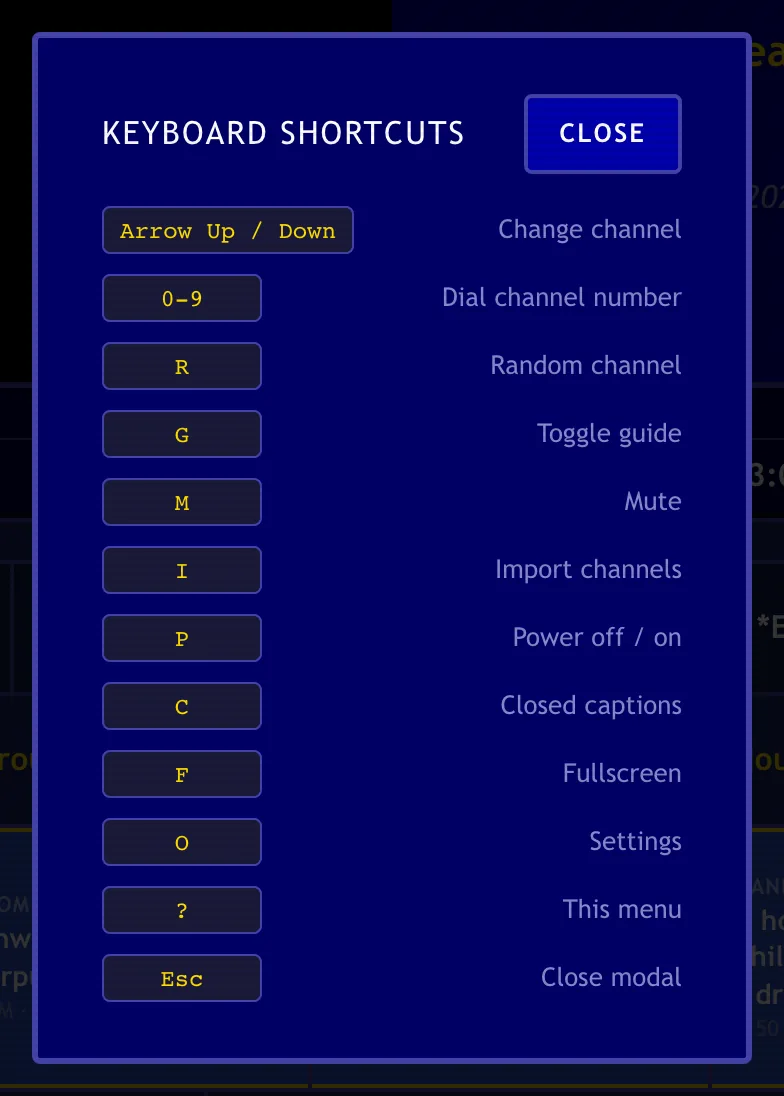
On a computer, the keyboard is the remote:
| Key | What it does |
|---|---|
| ↑ / ↓ | Change channel |
| 0–9 | Dial a channel number. Press Enter to tune right away. |
| R | Random channel |
| G | Show or hide the guide |
| M | Mute or unmute |
| F | Fullscreen |
| C | Closed captions |
| O | Settings |
| I | Import your channels |
| P | Turn the TV off or on |
| ? | Show all shortcuts |
| Esc | Close a window |
Forget one? Press ? on the TV to see the list.
Use the guide
The guide under the player shows what's on every channel right now and what's coming up. Select a channel's number or name to tune to it. Select a show to see more of that channel's schedule.
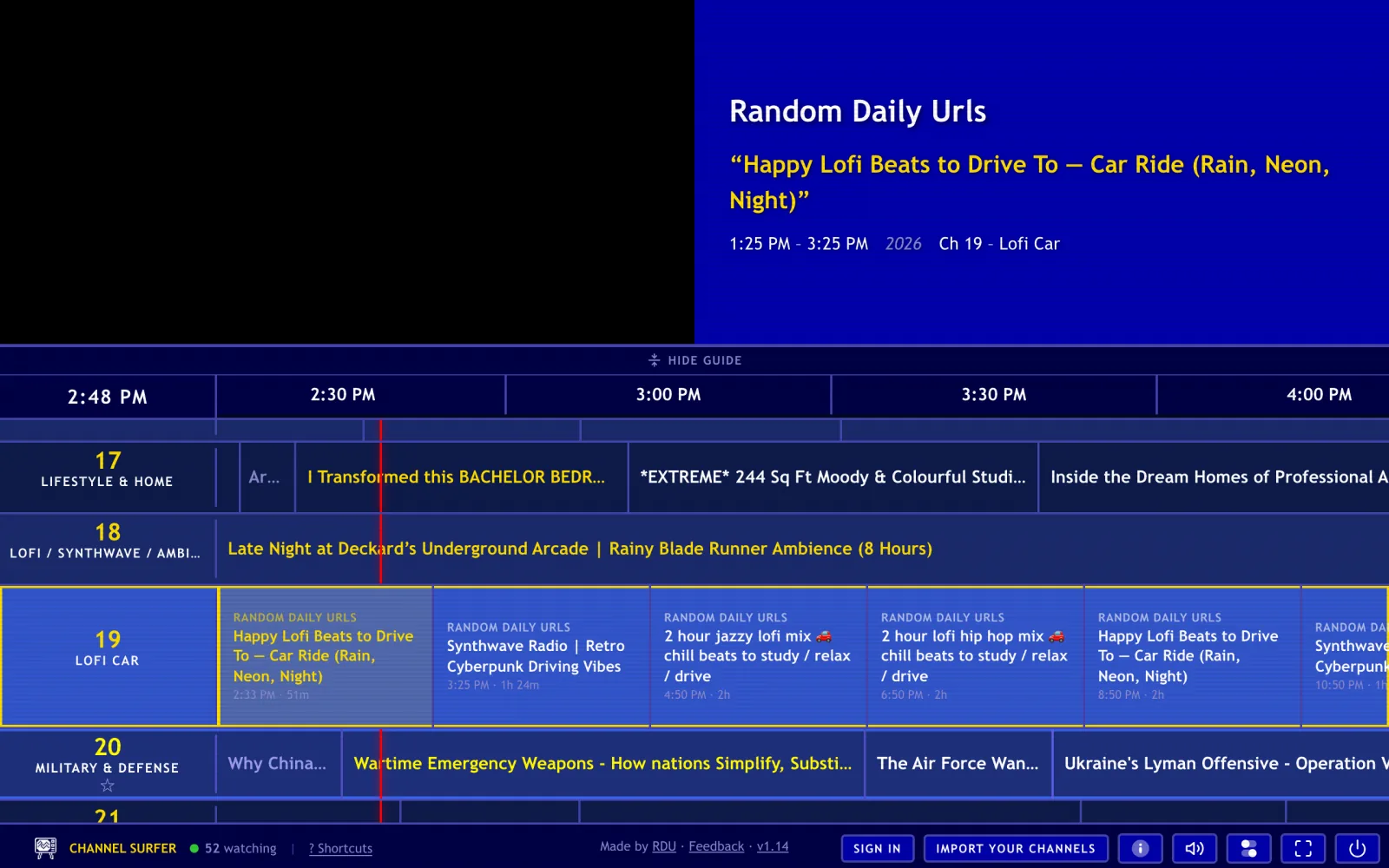
- Favorites: select the ☆ next to a channel to save it. Turn on Favorites Only Mode in Settings to surf only the channels you starred.
- Reminders: right-click a show that hasn't started and select Notify when it starts.
- Special channels: channel 50 is local weather, and channel 99 is the Party channel, where everyone watches together and chats in the ticker.
Watch on a phone or tablet
- Swipe up on the video for the next channel, or swipe down to go back.
- Tap a channel number in the guide to tune straight to it.
- To see the gesture tips again, open Settings and select Show mobile tutorial.
- On iPhone and iPad, use your device's volume buttons. The on-screen control only mutes.
- Importing your own channels works best on a computer. See importing on a phone.
Change your settings
Press O on the TV, or select the settings button (the two toggle switches) in the toolbar at the bottom of the screen. You can turn on closed captions, show the video controls, switch the scanline effect, set your weather location, and set a sleep timer.
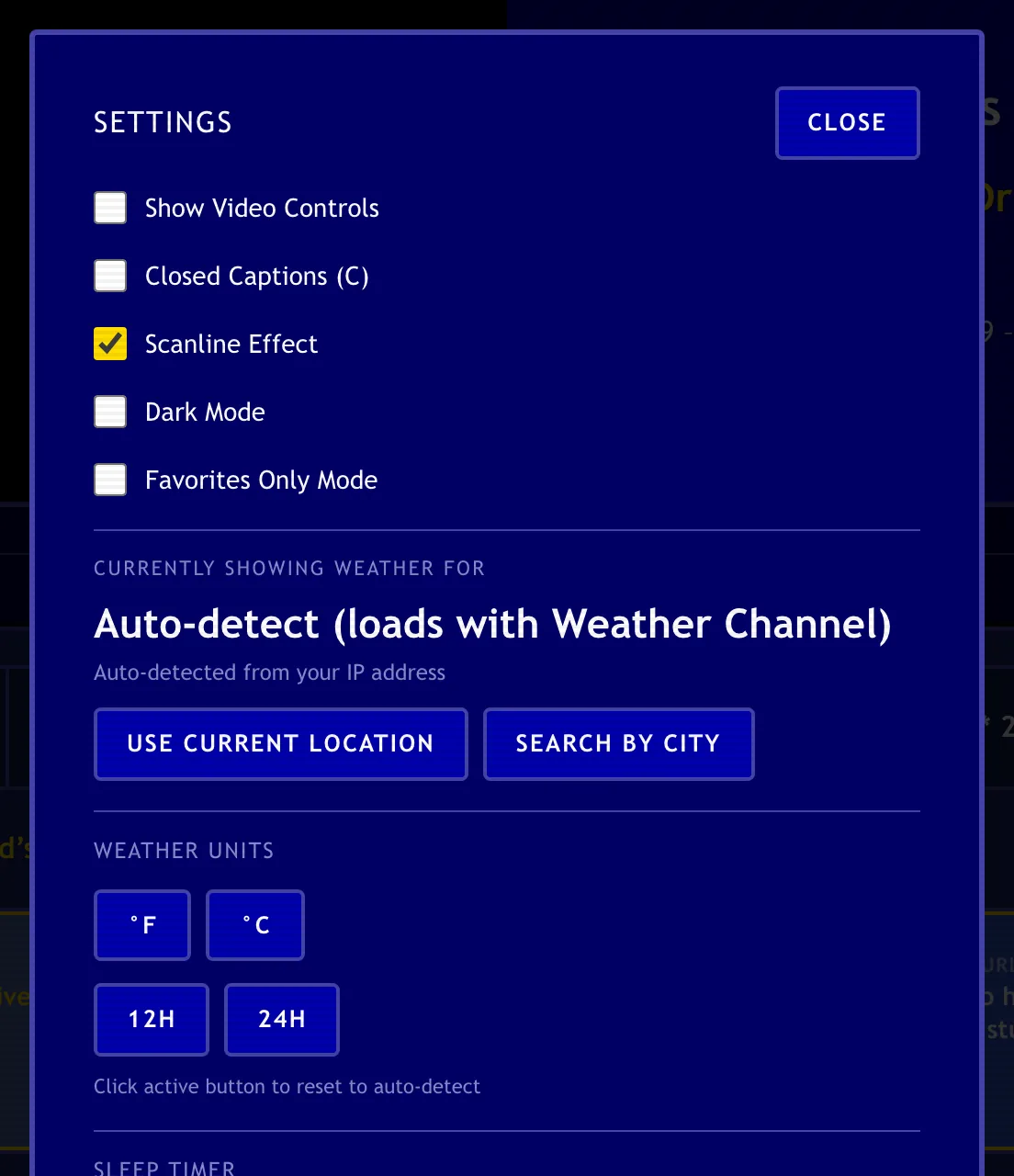
If you're signed in, the same options are also on your Dashboard under Preferences.
Your Dashboard
Sign in and select Dashboard in the toolbar at the bottom of the TV. Your Dashboard is where you import channels, delete the ones you don't want, and manage your plan.
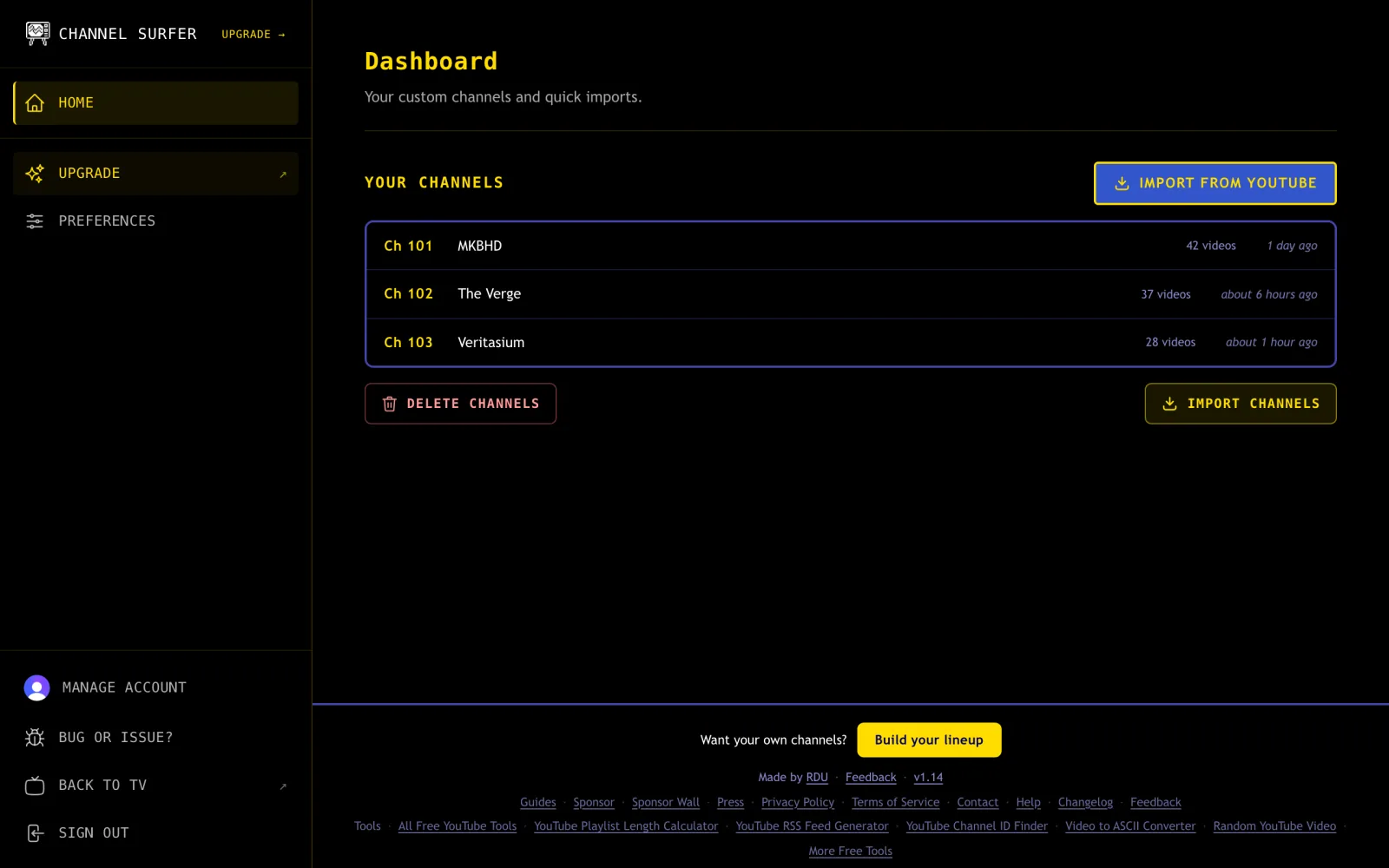
Ready to add your own channels? Follow Import your YouTube channels.
Free and Supporter
Watching is free, and so is importing your subscriptions. Supporter is the paid plan. It adds tools for building a bigger lineup and keeps it in sync across your devices.
| Free | Supporter | |
|---|---|---|
| Watch every channel in the guide | Yes | Yes |
| Import your YouTube subscriptions | Yes, saved in one browser | Yes, each one becomes its own channel |
| Add channels and playlists by pasting links | No | Up to 100 at a time |
| Videos per channel | What the import found | Latest 15, or all of them (up to 2,000) |
| New uploads added automatically | No, import again to update | Yes |
| Your channels on every device | No | Yes |
| Sponsored channel and Presented by credit | Shown | Hidden |
See every feature and price on the plans page. Questions about paying or canceling are answered in Billing and your Supporter subscription.
Still need help?
Send us a message from the contact page. Supporters get a reply within 24 hours.
Updated October 5, 2026